
Your takeaways
- Choose tools based on your channel format and its current production bottleneck, not on how many tasks a platform claims to automate.
- Test your workflow with one complete pilot and record time, subscriptions, licensing and labor by stage.
- Use original scripting, meaningful narration, careful rights checks and human review to protect quality and support policy compliance.
- Set a publishing cadence you can maintain, then consider software upgrades or outsourcing only when measured production needs justify them.
What are the best YouTube automation tools for faceless channels in 2027?
Best YouTube Automation Tools For Faceless Channels In 2027
The best tool stack depends on your channel format and workload, but most faceless operations combine tools for research, writing, voiceover, visuals, editing, thumbnails and project management. The right choices help you publish consistently; they don’t guarantee channel growth or replace good editorial judgment.
YouTube automation is the use of software, repeatable processes and, where useful, freelancers to produce and manage videos without appearing on camera.
For aspiring creators, entrepreneurs, content businesses and established faceless channel owners, the main challenge isn’t finding more software. It’s deciding which tools solve real production problems and fit together without adding unnecessary steps. The Best YouTube Automation Tools for Faceless Channels in will vary depending on whether you make narrated explainers, history videos, tutorials or short-form clips.
This guide compares options by workflow stage, budget, production time, quality control and ability to scale. Treat every recommendation as a possible part of a production system—not a reason to automate decisions that need your judgment. For example, research software can help you spot topics, but you still need to decide whether an idea is accurate, useful and distinctive enough to make a good video.
Start with your format and current bottleneck. If writing takes the longest, another editing app won’t help much. If the script and narration are ready but visuals stall production, prioritize finding a reliable visual workflow before adding more subscriptions.
Which tools can automate each stage of a faceless YouTube channel?
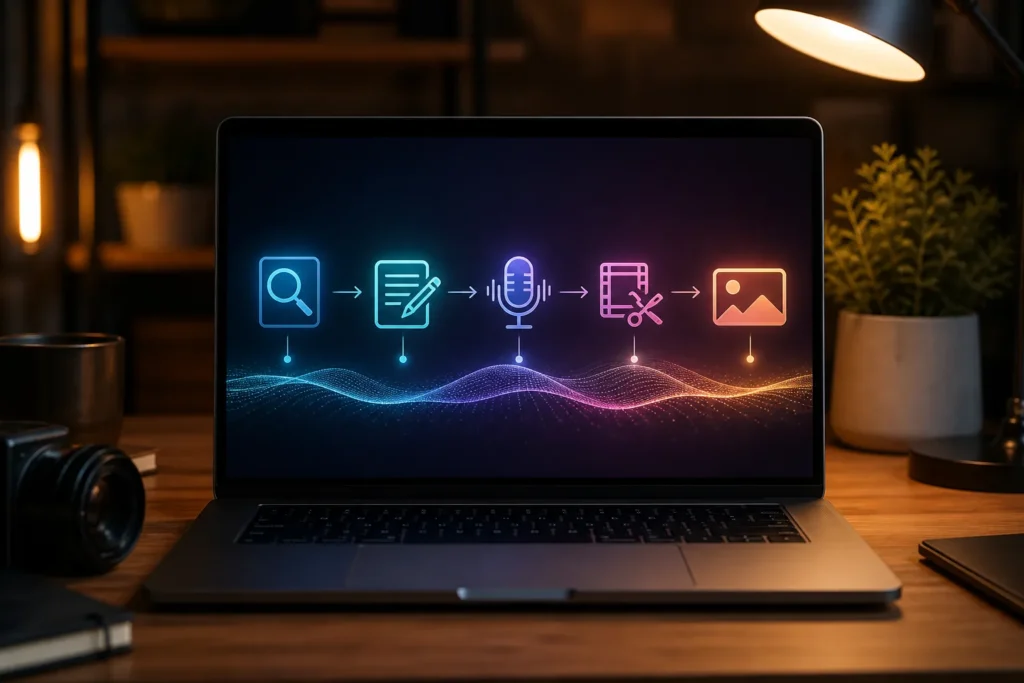
No single tool handles every stage of a faceless channel equally well. Choose a small stack that fits your video format, then connect its steps with a clear workflow. For instance, a narrated video may need separate tools for research, scripting, voice, visuals and editing, while a Shorts channel may put editing and repurposing first.
Use the table as a shortlist, not a requirement to subscribe to everything. The Best YouTube Automation Tools for Faceless Channels in are the ones that produce the deliverables your workflow actually needs.
| Stage | Tool examples | Useful deliverable | Selection note |
|---|---|---|---|
| Niche research and ideas | vidIQ, TubeBuddy | Topic ideas and channel research inputs | Check which features fit your research habits and current plan. |
| Script drafting and revision | ChatGPT, Claude | Outline, draft and revision suggestions | Verify facts and rewrite for your channel’s voice. |
| AI voiceover | ElevenLabs, PlayHT | Narration audio | Listen for pronunciation, pacing and permitted use. |
| Stock footage | Pexels, Storyblocks | Video clips and visual assets | Review licensing and usage conditions for each source. |
| AI-generated visuals | Midjourney, Runway | Generated images or video | Check output control, export options and commercial terms. |
| Video editing | CapCut, DaVinci Resolve, Adobe Premiere Pro | Edited video and captions | Choose based on editing needs, device and learning curve. |
| Thumbnails | Canva, Photoshop | Thumbnail files and design variations | Pick the tool that gives you adequate layout control. |
| Shorts repurposing | OpusClip | Short-form edits from longer videos | Review every clip for context and a clear beginning. |
| Planning and tracking | Notion, Airtable | Production calendar and task status | Use a system your team will keep updated. |
A practical sequence might be to research a topic with vidIQ or TubeBuddy, draft and fact-check a script with help from ChatGPT or Claude, then record your own narration or use an AI voice service. Next, gather licensed clips or create visuals, edit the video, and prepare a thumbnail. Keep the handoff between stages simple: name files clearly and record what is ready, what needs review and what is blocked.
Tool features, plan limits and commercial-use terms can change. Before committing, check the current subscription limits, licensing, attribution requirements and export options. A tool that looks inexpensive may not suit your channel if its license doesn’t cover your intended use or its exports don’t fit your editing process.

How do you choose the right automation tools for your channel?
Start with your video format and the step that currently slows you down. Test the smallest set of tools that could fix that bottleneck, then judge the result by quality, consistency and production capacity. Add software only when it improves one of those outcomes enough to justify its cost and added complexity.
The Best YouTube Automation Tools for Faceless Channels in aren’t universal. A solo creator making narrated history videos may need strong research, scripting, voiceover and licensed visuals; a Shorts channel may get more value from editing speed and repurposing tools.
- Define the format and audience. Specify whether you’re making long-form explainers, tutorials, narrated stories or Shorts, and what viewers should get from each video.
- Map the workflow. List the steps from idea selection to upload, including reviews and handoffs if other people are involved.
- Find the weakest or slowest step. Identify where quality drops, work piles up or production repeatedly stalls.
- Test one tool on one video. Use the same type of task you normally do so you can compare the output fairly.
- Assess output and total cost. Include setup time, learning, revisions, licensing and any extra software needed to use the deliverable.
Compare tools using criteria that affect your actual work: learning curve, control over the output, collaboration features, licensing, integrations and accessibility. Ask whether a free or lower-cost option is enough. If you only need a basic thumbnail or a simple production tracker, paying for a more advanced tool may not improve the video.
All-in-one platforms can be convenient when you value fewer handoffs and a straightforward process. Specialist tools may offer more control over one task, such as audio or editing, but they can mean managing more accounts, files and subscriptions. Neither setup is automatically better; choose based on the workflow you can sustain.
Before paying for an annual plan, check this list:
- Have you tested the tool on a real video task?
- Does it solve a specific bottleneck rather than duplicate another tool?
- Do its license and export settings suit your intended use?
- Can you afford the subscription if output temporarily slows?
- Is there a monthly or lower-cost option while you evaluate it?

How much does each faceless video cost, and how long does production take?
Cost and turnaround depend on video length, visual style, licensing and whether you do the work yourself, use software or hire freelancers. Estimate by production stage instead of relying on one universal per-video figure. Separate recurring subscriptions from costs that rise with each video, and record your own labor as an input.
To plan the Best YouTube Automation Tools for Faceless Channels in for your budget, use your actual subscription prices and time assumptions. The table separates costs you may pay regularly from work that can vary by project.
| Workflow stage | Cost inputs | Time input | Notes |
|---|---|---|---|
| Research and scriptwriting | Research or writing subscriptions; writer fee if outsourced | Topic selection, drafting, fact-checking and revisions | Track revisions separately if they are frequent. |
| Narration | Voice tool subscription or narrator fee | Recording or generation, pronunciation fixes and review | Include retakes and audio cleanup. |
| Stock or AI visuals | Asset subscription, license or per-project expense | Searching, generation, selection and rights checks | Separate recurring access from any per-video license. |
| Editing | Editing software or editor fee | Assembly, pacing, captions, sound and revisions | Record editing and review hours separately. |
| Thumbnail design | Design tool or designer fee | Concept, design and final checks | Account for iterations if you test multiple concepts. |
| Quality checks | Usually labor; include any review support | Fact, audio, visual, rights and upload review | Don’t treat review as optional time. |
Use this formula: cost per video = (monthly tool and asset costs allocated across videos) + per-video contractor costs + per-video licensing costs. To allocate subscriptions, add the monthly costs you use for production and divide by the number of videos those tools support during that month. Keep labor hours in a separate column or assign an internal hourly value so you can compare production approaches consistently.
Fill in your own estimates:
- Monthly tools and recurring assets: $_____ ÷ videos produced this month: _____ = $_____ per video.
- Scriptwriting or research labor: _____ hours × your chosen hourly value: $_____ = $_____.
- Narration, visuals, editing, thumbnail and review: record each cost or labor input separately.
- Add per-video contractor and licensing expenses to get your working cost estimate.
To estimate turnaround, time one pilot from idea selection through upload. Record actual hours for research, scriptwriting, narration, visual gathering, editing, thumbnail design and review. Use those observations to plan the next video, rather than assuming every stage can happen at once. If a task changes substantially—such as moving from stock footage to generated visuals—time it again.

What workflow helps a faceless channel publish consistently?
Consistency comes from a repeatable sequence, defined handoffs and a publishing cadence you can maintain—not from automating every decision. Give each video a clear owner or next step, keep review time in the schedule and use a production calendar to spot delays before they push back an upload.
A useful workflow for the Best YouTube Automation Tools for Faceless Channels in is one that makes progress visible from topic selection through publishing. Use this sequence as a starting point, then adjust it to your format:
- Research a topic that fits the channel and its audience.
- Validate the idea by checking that you can make a clear, original video from it.
- Outline the script, draft it and fact-check key claims.
- Record or generate narration, then review the audio.
- Gather licensed footage or create appropriate visuals.
- Edit the video, including pacing, sound and any captions.
- Create a thumbnail that accurately represents the video.
- Review the finished video for accuracy, rights and quality.
- Publish or schedule it, then track results and production notes.
In Notion or Airtable, create a production calendar with separate statuses such as Ideas, Script, Voiceover, Visuals, Edit, Review and Scheduled. Add a due date, owner and next action to each video. If a script is waiting for fact-checking, its status should make that clear; a generic “in progress” label won’t show where help is needed.
Choose upload frequency as a capacity decision. Begin with a cadence that lets you meet your quality standard while keeping up with research and review. Measure the time required across several production stages, then increase frequency only if you can handle the extra work without skipping checks or creating a backlog.
For suitable long-form videos, you can use OpusClip to identify candidate Shorts or cut clips manually in an editor. Review every short before publishing: it should make sense without missing context, introduce its subject clearly and deliver a complete thought. Faceless Channel Lab focuses on practical channel operations, including niche research, production planning, Shorts repurposing and repeatable workflows.
How can you use automation without risking YouTube monetization?
Automation and AI tools can support production, but your videos still need original value, appropriate rights and meaningful human review. Using a tool doesn’t by itself establish monetization eligibility. Review current platform policies and the specific rights attached to your footage, music, voice assets and generated material before publishing.
When planning the Best YouTube Automation Tools for Faceless Channels in 2027, distinguish production assistance from repetitive, reused or minimally transformed uploads. A tool can help draft an outline or assemble clips, but you remain responsible for the video’s accuracy, commentary, editorial choices and value to viewers.
In eligible regions, expanded YouTube Partner Program access generally requires 500 subscribers, three public uploads in the previous days, and either 3,000 valid public watch hours in months or 3 million valid public Shorts views in days. Ad-revenue sharing generally requires 1,000 subscribers and either 4,000 valid public watch hours in months or 10 million valid public Shorts views in days.
These thresholds, regional availability and qualifying metrics can change. Verify the current YouTube Partner Program requirements before publishing this guidance and again before applying. Reaching a subscriber or viewing threshold does not guarantee approval; the channel must also meet applicable program policies and pass review.
Use this pre-upload checklist:
- Footage: Confirm that each clip is original, properly licensed or otherwise permitted for your use.
- Music and sound: Check the rights and terms for every track and effect.
- Voice assets: Confirm permission for the voice or service output, especially if it imitates an identifiable person.
- Factual review: Verify important claims, names, dates and context instead of accepting an AI draft as fact.
- Viewer value: Make sure the video adds meaningful narration, explanation, editing or commentary rather than simply repackaging material.
- Platform policies: Check current YouTube rules and any disclosure requirements that apply to the content.
Original scripting and substantive narration help make your editorial contribution clear. Use automation to reduce repetitive production work, not to publish batches of near-identical videos without a distinct purpose or careful review.
When should you outsource parts of a faceless channel’s production?
Outsource a defined, repeatable task when it takes time away from higher-value channel decisions and your budget can support clear briefs, review and revisions. Keep ownership of the channel’s standards and direction. Start with a task whose requirements you can explain and whose finished work you can judge consistently.
As you compare the Best YouTube Automation Tools for Faceless Channels in 2027, remember that a freelancer can be another part of the production system—not simply a replacement for software. Common tasks to delegate include editing, thumbnail design, research assistance, script polishing and production coordination.
| Approach | Control | Time commitment | Cost inputs |
|---|---|---|---|
| In-house | Direct control over decisions and revisions | Your own time for each production stage | Labor, equipment and any software or assets |
| Software-assisted | Control depends on tool settings and review | Setup, operation and checking outputs | Subscriptions, licenses and time spent correcting results |
| Outsourced | Set by your brief, feedback and approval process | Hiring, briefing, review and communication | Agreed task fees, revisions and any required assets |
A useful brief should remove guesswork. Include:
- The target audience and purpose of the video.
- The format, length expectations and examples that show the style you want.
- Specific deliverables, such as an editable project file, final export or thumbnail variations.
- File specifications, naming conventions and where to upload completed work.
- Rights expectations for footage, music, fonts and other assets.
- The deadline, review stages and process for requesting revisions.
Begin with one paid pilot task. Review the quality, communication, adherence to the brief and turnaround before assigning more work. If the result is close but not right, decide whether clearer instructions or a different skill set would fix the gap. Faceless Channel Lab covers hiring freelancers, estimating production costs and improving quality as a channel scales, so you can make delegation decisions with the full workflow in mind.
See it in action
What should you do first to build your faceless channel tool stack?
Choose one channel format, map its workflow and select only the tools needed to make a complete pilot. Record the pilot’s costs and time, review the finished video and use what you learn to set a sustainable publishing schedule. Upgrade the stack only when a real bottleneck justifies another subscription or contractor.
Your first week should produce a working process, not a large collection of accounts. Use this plan to test the Best YouTube Automation Tools for Faceless Channels in against the work you actually need to do:
- Choose a niche and format. Decide what kind of video you’ll make and who it is for.
- Test research and writing. Select one topic, build an outline, draft a script and check its factual claims.
- Produce one complete pilot. Create narration, visuals, an edit and a thumbnail using a lean tool stack.
- Review the whole package. Check the footage, narration, edit, thumbnail, rights and viewer value.
- Document the workflow and budget. Record each stage’s time, recurring subscriptions, per-video expenses and any problems.
Use the pilot to identify what should change before committing to a regular schedule. Perhaps the visuals take longer than expected, the narration needs more editing, or the thumbnail workflow is already manageable with a free option. Make the next decision from that evidence rather than buying tools because a channel in another format uses them.
Take one action now: write down your intended format and the steps required to produce one video. That simple workflow map will show where to test a tool first. Keep the initial stack lean, then add software or freelance support only when it clearly improves quality, consistency or capacity.
Faceless Channel Lab offers practical guidance on channel planning, tools, production systems, cost estimation and outsourcing. Use it to build a repeatable operation around your own audience and format, not to copy a workflow that may not fit your channel.
Faceless channel questions
- Can you run a faceless YouTube channel using only AI tools?
AI tools can assist with research, drafting, narration, visuals and editing, but you still need to review facts, rights and finished videos. Original value and meaningful editorial judgment matter; automating production alone doesn’t guarantee audience growth or monetization approval.
- What is a good tool stack for a faceless YouTube channel?
Start with tools that cover your actual workflow: research and planning, writing, narration or recording, visuals, editing and thumbnails. Add a project tracker if you need to coordinate stages or people, and choose tools based on your format, licensing needs and budget.
- How much does it cost to make a faceless YouTube video?
There is no single cost that applies to every video. Calculate your recurring tool and asset costs per video, then add project-specific licensing, contractor fees and the labor you spend on scripting, narration, visuals, editing, thumbnails and review.
- How often should a new faceless YouTube channel upload?
Choose a cadence you can maintain at the quality level you want. Time a complete pilot and track production and review work before increasing frequency, so you don’t build a schedule that creates rushed videos or an unmanageable backlog.
- Can AI-generated or automated videos be monetized on YouTube?
Using AI or automation doesn’t by itself determine whether a channel can be monetized. Videos still need to follow current YouTube policies, use assets appropriately and provide original value; meeting program thresholds also doesn’t guarantee approval.
- What are the YouTube Partner Program requirements for ad revenue?
Ad-revenue sharing generally requires 1,000 subscribers and either 4,000 valid public watch hours in months or million valid public Shorts views in days. Requirements, qualifying metrics and availability can change, so check the current YouTube Partner Program rules before applying.
