
Design YouTube thumbnails around one focal point, one readable promise, strong contrast, and mobile-safe text. Use the standard × 720-pixel, 16:9 format, then compare up to three title and thumbnail combinations in YouTube Studio. Choose the version that supports watch time and retention, not merely the one with the highest CTR. [1] [2] [3]
Channel facts
- YouTube impressions click-through rate measures how often viewers watch after seeing a counted thumbnail impression. [3]
- The standard custom-thumbnail baseline is × pixels with a 640-pixel minimum width and a 16:9 aspect ratio. [2]
- JPG, GIF, and PNG are listed as supported standard thumbnail formats. [4]
- YouTube Studio can compare up to three title and thumbnail combinations, with the highest-watch-time option shown when the test ends. [3]
Your takeaways
- Start with the video’s core promise and make the thumbnail add information to the title.
- Keep standard thumbnails at × pixels and test every variant at a small mobile size.
- Use controlled variations so you can identify which meaningful design change affected performance.
- Judge CTR alongside average view duration, audience retention, and watch time.
- Reject designs whose visual promise doesn’t match the video’s actual payoff.
What does YouTube impressions click-through rate measure, and where can creators find it in YouTube Studio?
YouTube impressions click-through rate measures the percentage of viewers who watch after seeing a counted thumbnail impression. [3] In practical terms, CTR connects a displayed thumbnail with the viewers who choose to watch, but it doesn’t describe what happens after the click.
You can find each video’s CTR in the Analytics tab in YouTube Studio. [2] A general CTR range of 4%–10% is reported, but a useful result varies with your niche, audience, and traffic source. [1] That makes channel context more useful than a universal pass-or-fail target.
When CTR looks weak, use Studio’s deeper low-CTR diagnosis instead of judging the thumbnail from CTR alone. [3] For a faceless-channel workflow, that distinction matters: a repeatable thumbnail system should help you compare traffic sources and post-click behavior, not just chase a larger percentage.
Which visual elements help a thumbnail stay readable and communicate a video’s promise?
A strong YouTube thumbnail usually presents one focal point and one readable promise, with only the supporting elements needed to connect them. [1] Contrast helps that promise survive a small card: contrasting text and backgrounds are recommended, while bright text on a dark background is easier to process than gray text over a busy image. [1] [4]
Visible faces, emotional expressions, icons, emojis, and engaging people can attract attention. [2] A facial expression should match the video’s actual payoff, and a visible face can direct its eyes toward the text or main object. [1] [4]
Keep the composition simple, often with two or three visual elements, and use a consistent style, color scheme, and font across the channel. [5] Thumbnail text should add information beside the title rather than repeat it; three to five words is a practical guideline. [4] [5] These choices also support a repeatable visual identity for faceless-channel production.
What are YouTube’s thumbnail dimensions, aspect ratio, supported formats, and file-size limits?
The standard custom-thumbnail baseline is × pixels, with a minimum width of pixels and a 16:9 aspect ratio. [2] The specification comparison below shows that these baseline dimensions are repeated across the listed sources.
JPG, GIF, and PNG are listed as supported standard thumbnail formats. [4] File-size guidance isn’t presented as one universal limit: a compact ceiling is commonly MB, while one source reports up to MB for desktop uploads and MB for mobile uploads. [4]
YouTube Shorts use a separate vertical format: × pixels, a 9:16 aspect ratio, and a file size under MB. [6] If any thumbnail in a YouTube Studio experiment is below 720p, all experiment thumbnails can be downscaled to 480p. [3] Keep every test variant at the standard baseline when testing matters.
What steps can creators follow to turn a video’s main idea into a clear, compelling thumbnail?
Your video’s core promise should come first: state it in one sentence, then let that promise determine the thumbnail structure. [1] A tutorial, reveal, comparison, or transformation may need a different visual emphasis, but the design should still lead with one clear focal point.
Choose two or three visual elements and up to five words, while moving complex graphics into the background or leaving them out. [5] Use high-resolution images that are relevant to the content, and keep featured people, products, or actions clear and in focus. [7]
For a video featuring a person, pause on a frame with an engaging expression and take a screenshot; the example workflow sizes the headshot to about half of the thumbnail. [2] For faceless-channel production, repeatable choices matter more than elaborate decoration: define the subject, keep the visual identity consistent, and make the expression or imagery match the video’s payoff. [5] [1]
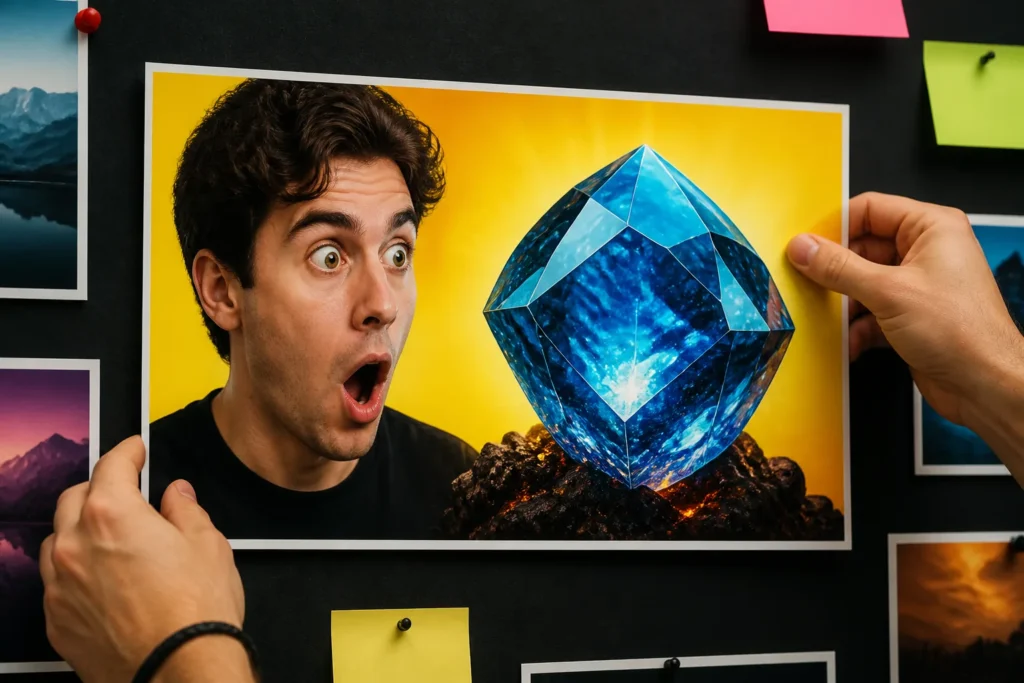
How should thumbnail design account for mobile screens and YouTube Shorts interface overlays?
Mobile readability should be treated as a design check, not a final guess: review the thumbnail at a small preview size or in a mobile mockup before publishing. [3] A small-grid preview of roughly × pixels can simulate a mobile grid and expose unreadable text or weak composition. [4]
Design Shorts thumbnails on a desktop, then check them on a phone before publication. [6] For Shorts, keep content centered and leave the bottom 20% and right 15% empty where advised, because interface areas can obscure important details. [6] Essential text and subjects should stay away from lower interface areas. [4]
Use no more than three words for a text-heavy Shorts hook. [6] Standard thumbnails should avoid the bottom-right corner and use bold, readable fonts that remain legible on mobile screens. [5] These checks support a mobile-first workflow without sacrificing the video’s main promise.
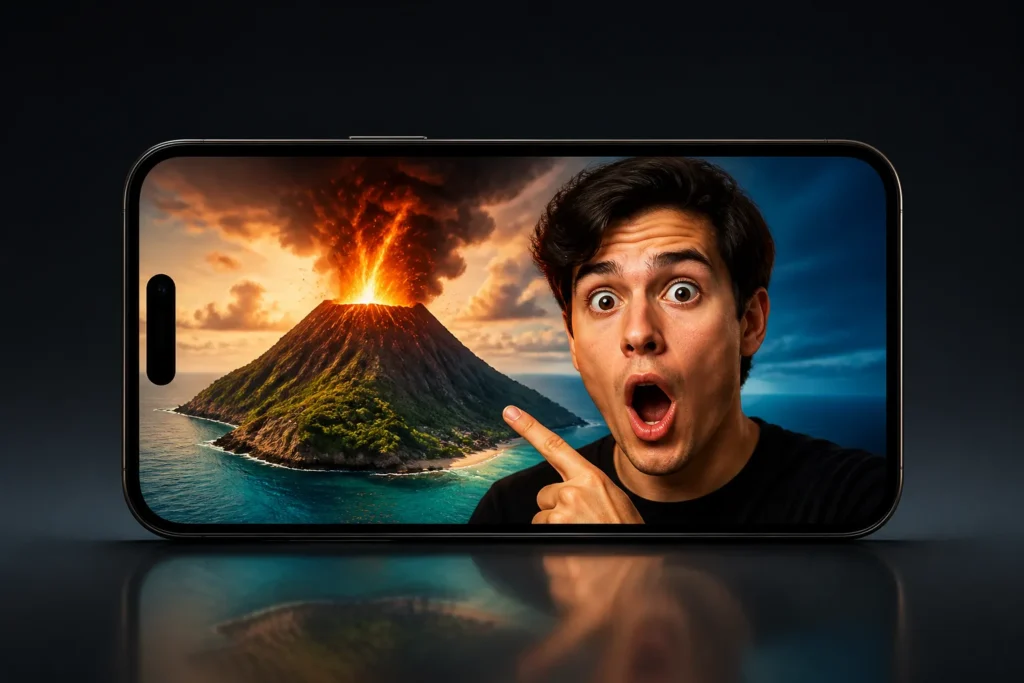
How can creators compare thumbnail versions with YouTube Studio’s testing tools, and which results should guide their choice?
YouTube Studio’s Test & Compare feature lets eligible creators compare thumbnail variants through Studio. [4] Studio can test up to three title and thumbnail combinations, and the option with the highest watch time is shown to viewers when the test ends. [3]
Build controlled variations rather than three unrelated designs. Change one meaningful element at a time, such as a close face versus a wide shot, face versus no face, text versus no text, or a high-contrast background versus the current style. [3] [1]
Use CTR alongside average view duration and other post-click signals because a higher click rate can mislead when the thumbnail overpromises. [1] Compare the result with your historical performance by traffic source and allow enough exposure for a meaningful comparison; one benchmark study used at least 10,000 impressions. [1] If no clear winner emerges, the first uploaded option becomes the default. [3]
What are the risks of a misleading thumbnail, and how can creators check whether clicks are followed by sustained viewing?
A misleading thumbnail can weaken trust or viewer satisfaction when its implied promise doesn’t match the video’s actual content and payoff. [1] A tone mismatch can lead viewers to click away, hurt average view duration, and reduce continued recommendation exposure according to the supplied source. [6]
Review CTR alongside average view duration, audience retention, and watch time. [3] High CTR with low average view duration is a warning rather than a win, because clickbait can attract clicks without sustaining viewing. [3] A thumbnail that wins on clicks but loses on post-click viewing needs a promise check, not automatic approval.
Use a simple review loop for Faceless Channel Lab’s repeatable production approach: compare the thumbnail promise with the actual payoff, inspect post-click viewing signals, and keep the design only when the combination supports sustained viewing. [1] Custom thumbnails must also follow Community Guidelines, including restrictions covering nudity or sexually provocative content, hate speech, violence, and harmful or dangerous content. [5]
| Source | Listed dimensions | Minimum width | Aspect ratio | Accepted formats |
|---|---|---|---|---|
| remove.bg [2] | 1280 by pixels [2] | 640 pixels [2] | 16:9 ratio [2] | — |
| revid.ai [4] | 1280 × pixels [4] | 640 pixels [4] | 16:9 aspect ratio [4] | JPG, GIF, and PNG [4] |
| starnow.com [5] | 1280 × pixels [5] | 640 pixels [5] | 16:9 aspect ratio [5] | JPG, GIF, and PNG [5] |
Faceless channel questions
- How to make a high CTR thumbnail?
A high-CTR thumbnail uses one clear focal point, one readable promise, strong contrast, and short text that complements the title. Check it at a small mobile size, then compare versions using CTR, average view duration, retention, and watch time rather than CTR alone [1].
- How many views do I need to make $10,000 a month on YouTube?
The supplied claims don’t provide enough information to calculate how many views you need to make $10,000 a month on YouTube. Revenue would depend on information not included in the ledger.
- What is the second rule on YouTube?
The supplied claims don’t define a “7 second rule” on YouTube. No supported rule by that name appears in the ledger.
- How to create a catchy thumbnail for YouTube?
Create a catchy thumbnail with one focal point, a readable promise, contrasting text and background, and a simple composition. Use short text that adds information to the title, then check the design at a small preview size [1].
Sources
- 10 Thumbnail Ideas for YouTube Creators (2026-08-22)
- How to Make the Best YouTube Thumbnail to Boost Video Views – remove.bg Blog
- Studio A/B & Best Tools (2026-05-24)
- Thumbnail for YouTube Size: The Complete Guide (2026-09-26)
- How to Make an Effective YouTube Thumbnail (2026-07-02)
- 7 YouTube Shorts Vertical Thumbnails That Boost CTR (2026-03-18)
- 7 Best Practices for YouTube Thumbnails (In 2026) (2024-04-18)
